Pilot Centre
Keep profile, credential references and recorded operational history in view.
 DRONE PERSPECTIVE LTDAERIAL INTELLIGENCE. CLEAR DECISIONS.Request a Quote
THE SPATIAL SAFETY WORKFLOW
Your location, aircraft, planning checks and operational records. Connected in one guided workflow.
Plan. Assess. Record. Evidence.


CONNECTED FROM THE START
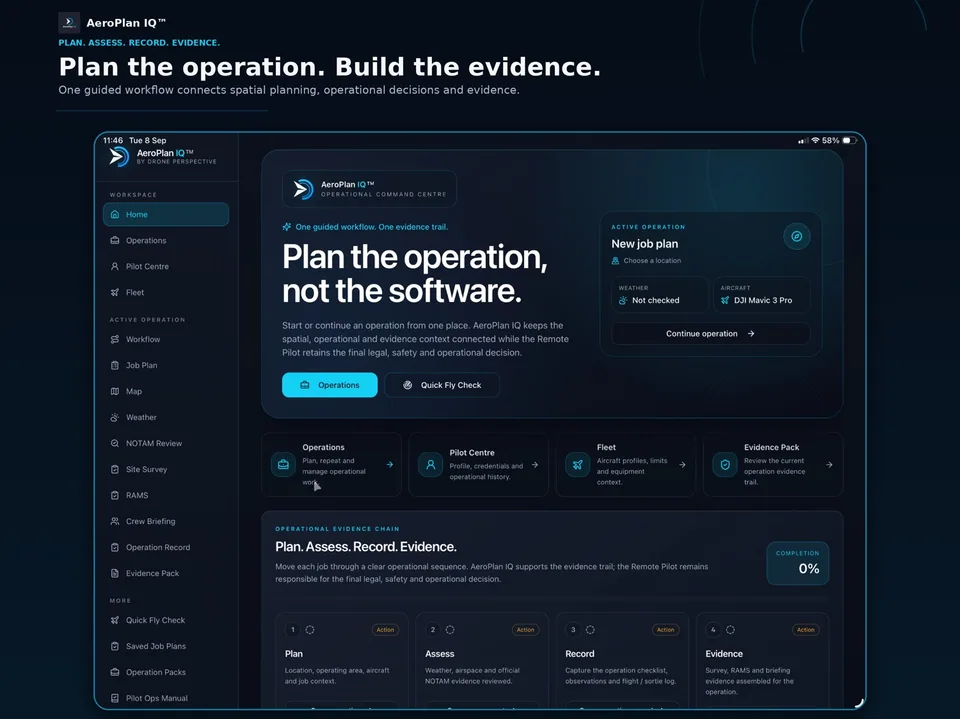
A flight is more than a pin on a map. AeroPlan IQ keeps the planning context, risk controls and operational record associated with the same job.
Set the location, aircraft and scope. Keep the spatial picture connected to the job.
Review weather, airspace, NOTAMs and site risks. Record the decisions and controls.
Capture briefing, checklists, flight activity and observations against the operation.
Bring the retained records together in an operation-specific Evidence Pack.
INSIDE AEROPLAN IQ
Start with a Quick Fly Check or move into a complete professional operation. The tools follow the job, from spatial planning to retained evidence.
01 / THE OPERATING CONTEXT
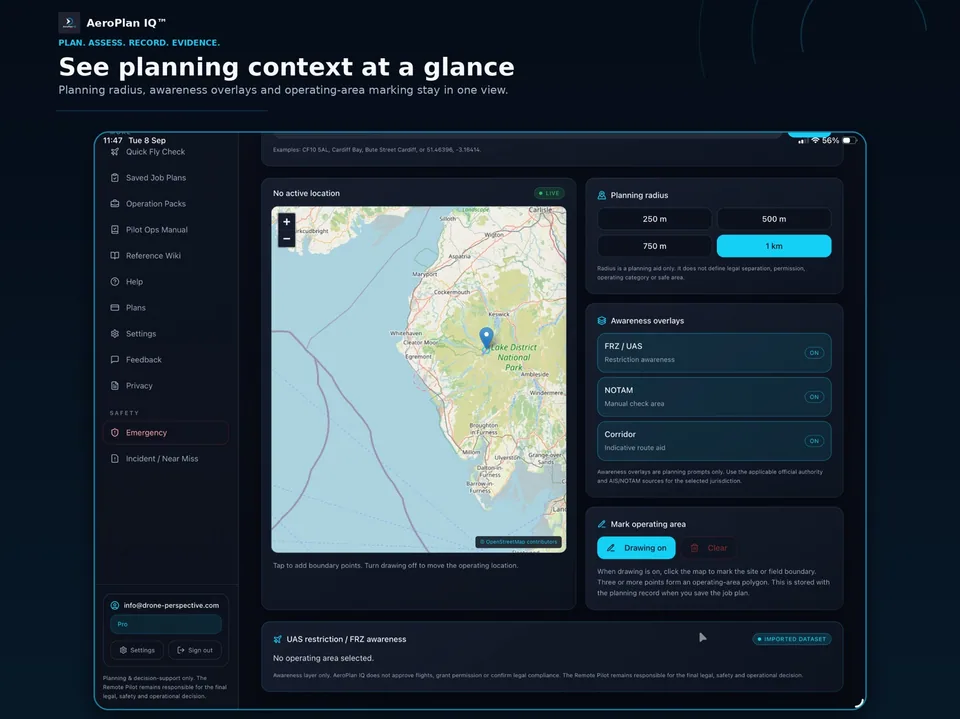
Keep the location, planning area and awareness picture together. Review aircraft-aware weather and aviation information alongside the operation you are preparing.
Use applicable official aviation sources and verify current requirements before every operation.
02 / THE PROFESSIONAL WORKFLOW
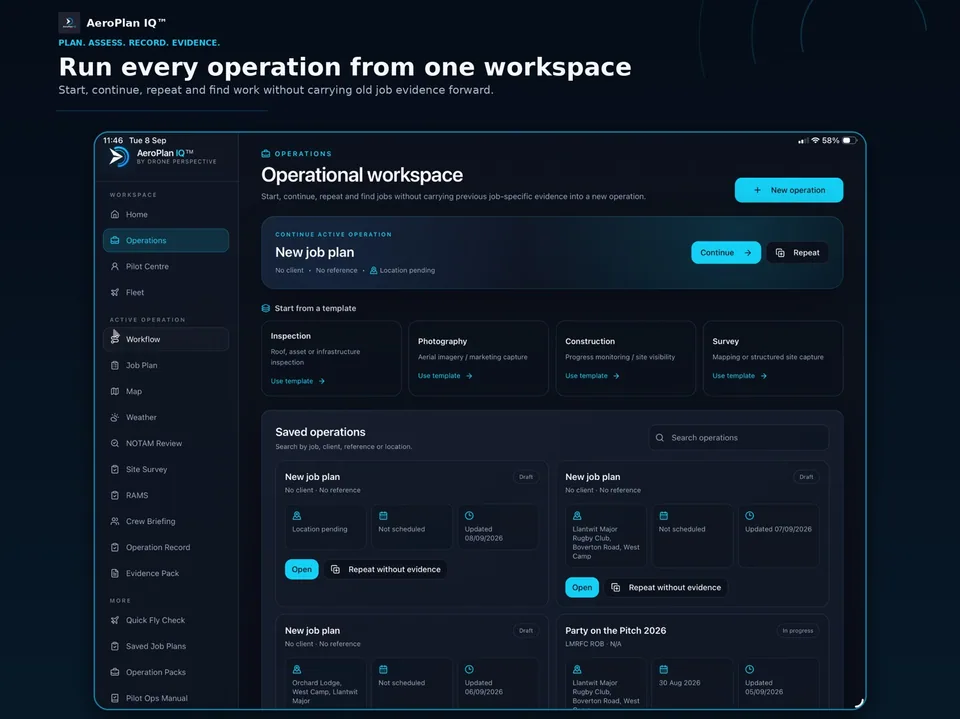
Create, continue and reopen operations. Keep Site Survey, RAMS, Crew Briefing and Operation Records linked to the same Operation Pack.
Repeat the useful planning structure while keeping new job evidence specific to the new operation.
Keep profile, credential references and recorded operational history in view.
Retain aircraft profiles and the operating-limit context used for planning.
Keep structured procedures and supporting evidence alongside operational work.
Assemble the planning and operational records retained against the job.
UK-INTEGRATED. GLOBAL CORE WORLDWIDE.
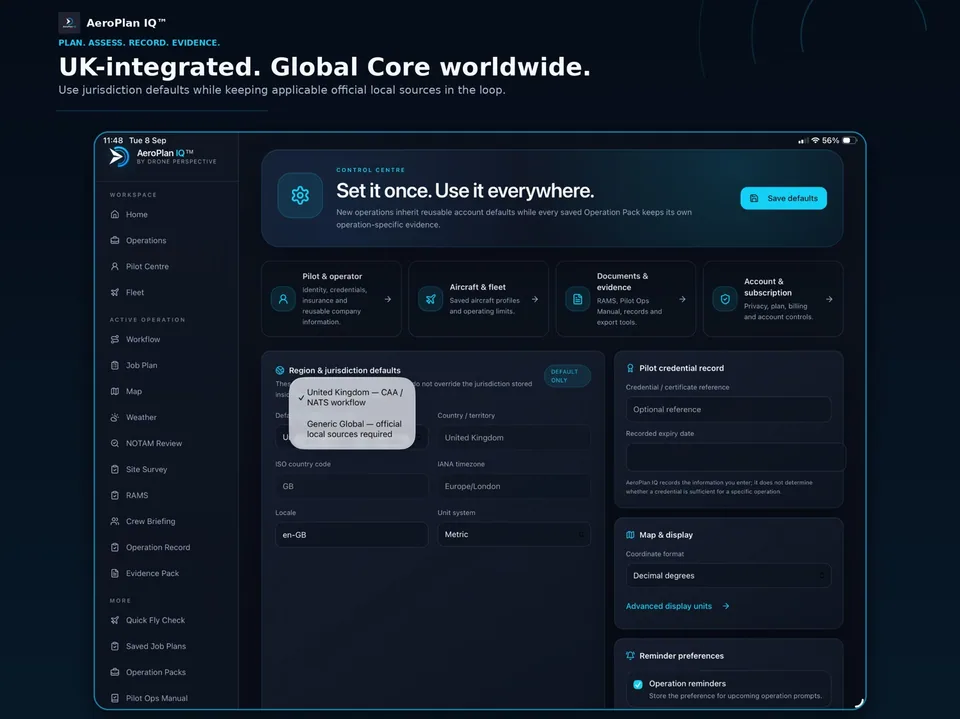
The UK jurisdiction workflow brings together CAA / NATS-oriented planning context and job-scoped NOTAM review. Global Core supports country, timezone, units and official local-source references for operations elsewhere.
Jurisdiction-specific requirements always need Remote Pilot verification. Where an integration is unavailable, use the relevant official local source.
EXPLORE BEFORE YOU DOWNLOAD
Follow an example operation from location selection through assessment, briefing and the Evidence Pack.
Demonstration only. The walkthrough uses synthetic example data and must not be used for a real operation.
Open the demonstration full-screenCHOOSE YOUR WORKFLOW
Download AeroPlan IQ on iPhone, iPad or Android. Choose your subscription in the app.
FOR EVERYDAY FLIGHT PLANNING
£4.99 / month
A focused location-led planning workflow for recreational and occasional drone operations.
FOR PROFESSIONAL OPERATIONS
£12.99 / month
The connected operational workflow for commercial pilots and professional drone delivery.
FOR ORGANISATIONS
Let’s talk
A tailored package for organisations with broader operational requirements.
Tell us about your team, operational workflow and evidence needs so we can scope the right approach.
Discuss your requirementsFinal prices and subscription terms are shown in your selected app store. Features depend on your plan.
Start with a free account on the webYOUR QUESTIONS
AeroPlan IQ supports planning, assessment, records and evidence. It does not approve flights, grant permission or confirm legal compliance. The Remote Pilot remains responsible for official-source checks and the final legal, safety and operational decision.
AEROPLAN IQ™ · AVAILABLE NOW
Plan. Assess. Record. Evidence.